
Permit-Ready Route Documentation, Generated From the Route Itself
Permit offices don't review your route — they review your documentation of it. RoadScope turns a planned and surveyed route directly into the documents applications require: jurisdiction-organized route lists, turn-by-turn descriptions, constraint inventories, and professional PDF reports.
Where permit documentation goes wrong
The most common permit delay isn't a rejected route — it's documentation that doesn't match it. Turn-by-turn descriptions typed by hand from a map drift from the actual geometry; a re-route made late in planning never makes it into the application; the same route has to be described differently for each jurisdiction it crosses.
Every manual transcription between the map and the application form is a chance for the two to disagree. When they do, the cost is measured in resubmission cycles.
From surveyed route to submitted application
Finalize the route record
The planned route, its POI constraint inventory, and verified measurements live in one project — the single source the documentation is generated from.
Extract the route description
Turn-by-turn directions are extracted from the actual route geometry, and permit route lists are organized by jurisdiction automatically.
Pre-populate the application
The Permit Auto-Fill Generator pre-populates common application fields from your route data, cutting re-typing and the errors that come with it.
Attach the evidence
Quick or Full PDF reports package the constraint inventory, photos, and measurements as supporting documentation for reviewers.
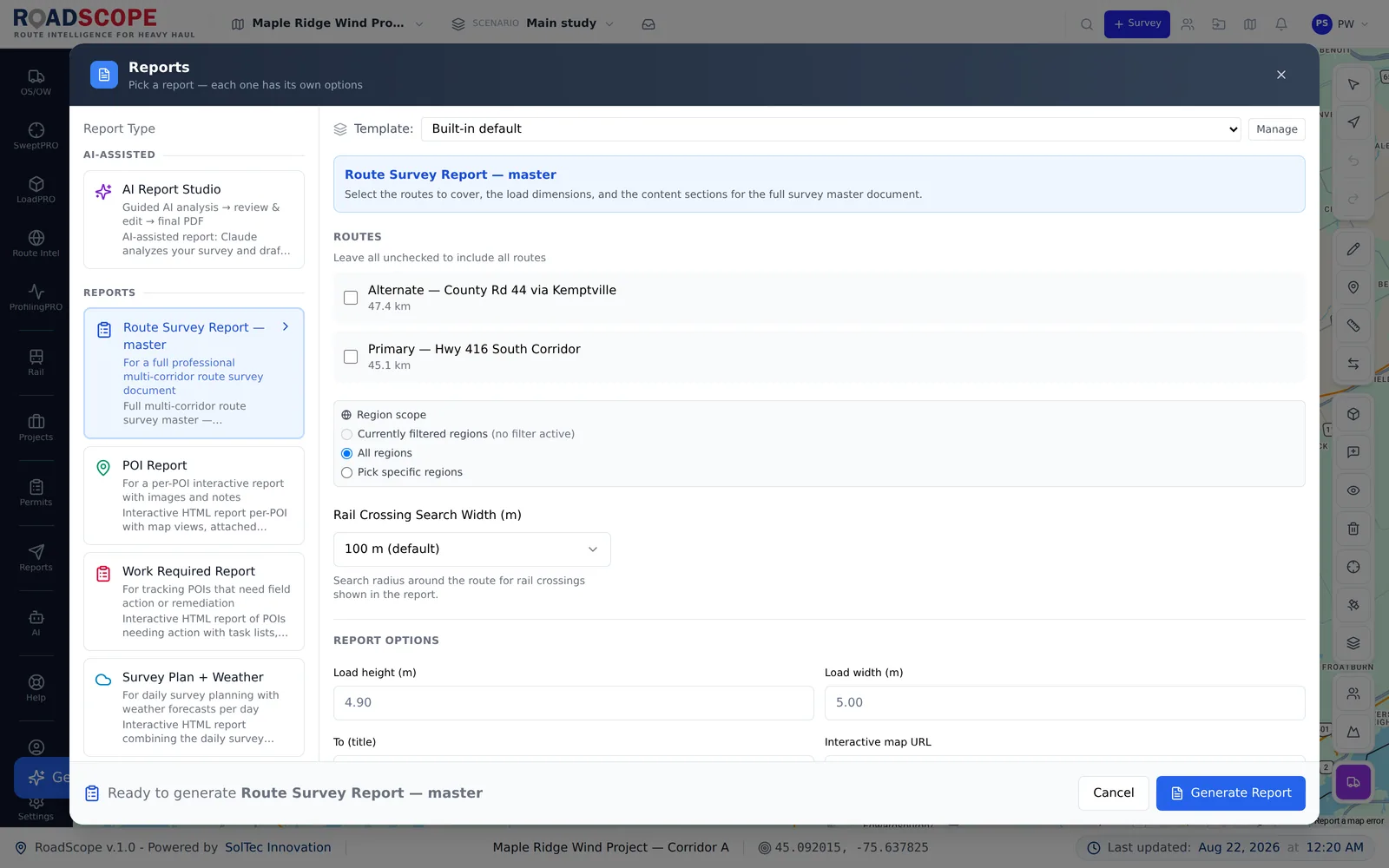
Example deliverable: the application package
One route record produces the full application set:
- Permit route list broken out by jurisdiction
- Turn-by-turn route description extracted from the planned geometry
- Constraint inventory PDF with photos and verified measurements
- Pre-populated application fields via the Permit Auto-Fill Generator
Generated documentation vs. hand-built documentation
| Spreadsheets, maps & photos | RoadScope | |
|---|---|---|
| Turn-by-turn description | Typed by hand while reading a map | Extracted from the actual route geometry |
| Multi-jurisdiction moves | The route re-described per authority, by hand | Route lists organized by jurisdiction from one record |
| Late re-routes | Documentation silently goes stale | Regenerate from the updated route in minutes |
| Supporting evidence | Photos hunted down and pasted into a document | Constraint inventory with photos already attached to each POI |
Frequently asked questions
Does RoadScope submit permit applications for me?
No — RoadScope generates the documentation the application needs: route lists, turn-by-turn descriptions, constraint reports, and pre-populated fields via Permit Auto-Fill. Submission and jurisdiction relationships stay with you.
What happens when the route changes after documents are generated?
Documentation is generated from the route record, so a re-route means regenerating the outputs — not manually reconciling a stack of stale documents.
Which jurisdictions does RoadScope cover?
Route lists and permit requirement references cover US states and Canadian provinces — see the permit requirements section for jurisdiction-by-jurisdiction detail.
Related pages
See it on your own route
Book a demo to walk through the full workflow with your use case, or try MapPRO Light — the free, no-login map — right now.