
Overweight Permit Route Planning From Axles to Application
Overweight planning starts before the map: with the axle configuration. Whether a route works depends on per-axle loads, bridge formula compliance, and the capacity of every structure the load crosses. RoadScope connects the weight math to the route record and the permit documentation that follows.
Weight problems hide in the configuration
Two loads with the same gross weight can have completely different route options — one legal on a corridor, the other requiring a superload review — because the difference lives in axle spacing and per-axle load, not the total. Planning from gross weight alone routinely produces permits for moves that fail at the first scale or the first posted bridge.
Structures are the second trap. Weight postings change, and the capacity that matters is per-structure along the actual route. A plan that hasn't inventoried its structures is a plan that hasn't been checked.
From axle configuration to permit package
Check the configuration first
The free Axle Load Calculator checks per-axle legal weights and US Federal Bridge Formula compliance for any configuration across all US states, DC, and every Canadian province and territory.
Inventory structures on the route
Bridges and culverts along the planned route are documented as POIs — postings, capacities, positions, and photos — with bridge inventory overlays for reconnaissance.
Compare corridors on permit complexity
Route Comparison View weighs candidate corridors on structure risk and permit complexity per jurisdiction, before committing to an application.
Generate the application set
Jurisdiction route lists, turn-by-turn descriptions, and constraint reports — with the Permit Auto-Fill Generator pre-populating common application fields.
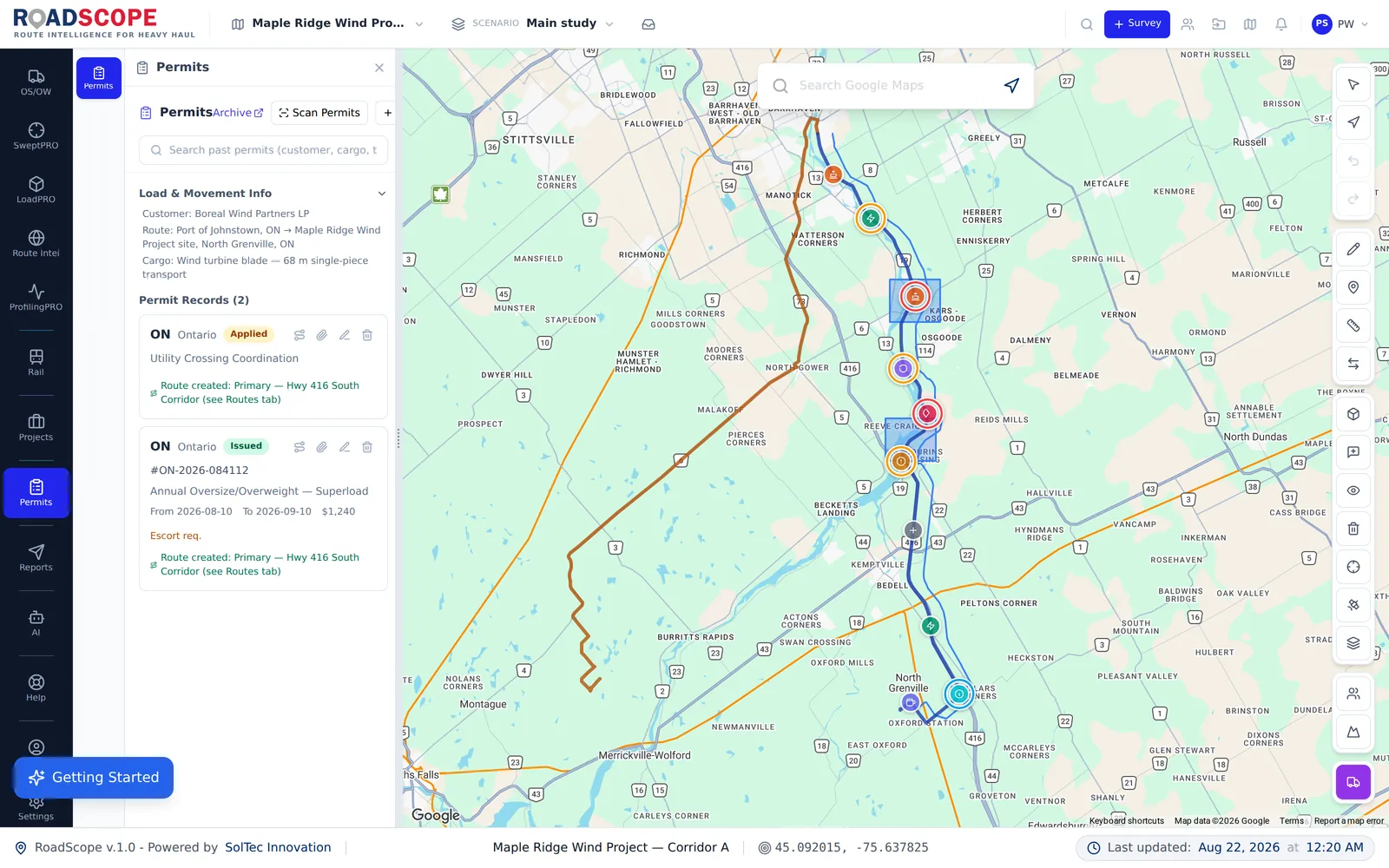
Example deliverable: the overweight application package
An overweight plan closes with documentation matched to the configuration:
- Axle configuration check: per-axle legal weights and bridge formula result
- Structure inventory for the chosen corridor with postings and photos
- Jurisdiction-organized permit route list and turn-by-turn description
- Pre-populated application fields from the route record
Configuration-first planning vs. gross-weight planning
| Spreadsheets, maps & photos | RoadScope | |
|---|---|---|
| Weight check | Gross weight vs. a rule-of-thumb limit | Per-axle and bridge formula check for the actual configuration |
| Structures | Assumed adequate unless posted otherwise | Inventoried per route with postings, photos, and positions |
| Corridor choice | Shortest legal-looking path | Compared on structure risk and permit complexity |
| Application data | Re-typed from the plan into forms | Pre-populated by Permit Auto-Fill from the route record |
Frequently asked questions
Is the Axle Load Calculator free?
Yes — it's a free public tool, no login required, covering all 50 US states, DC, and every Canadian province and territory for per-axle legal weights and US Federal Bridge Formula checks.
Does RoadScope tell me if a bridge can carry my load?
RoadScope documents postings and structure records along your route and organizes them for engineering and permit review. Structural adequacy decisions remain with the reviewing engineer or authority — with your documentation in front of them.
Can I plan a combined over-dimension and overweight move?
Yes — the same route record carries clearance POIs and structure POIs together, so one plan covers both dimensions of the move and one package documents it.
Related pages
See it on your own route
Book a demo to walk through the full workflow with your use case, or try MapPRO Light — the free, no-login map — right now.