
Heavy Haul Route Planning, Built on Field Intelligence
A heavy haul route is a chain of engineering decisions: which grades the combination can climb and brake on, which structures can carry the weight, which corners the trailer can actually make. RoadScope gives planners the analysis layer to make those decisions on evidence — and the documentation to defend them.
The planning decisions that break heavy hauls
Heavy haul planning fails quietly: a sustained grade nobody profiled, a descent that overwhelms braking with the load behind it, a structure whose capacity was assumed from its appearance. By the time the problem is visible from the cab, the recovery options are expensive.
The information usually exists — in someone's head, in an old survey PDF, in a photo on a phone. What's missing is a system that holds grades, clearances, structures, and geometry together on the same route so the plan can be checked as a whole rather than point by point.
The heavy haul planning workflow in RoadScope
Profile the terrain
Elevation and grade profiles along the route expose sustained climbs, long braking descents, and compound-curve risk zones for the loaded combination.
Inventory the structures
Document bridges, culverts, and overhead constraints as structured POIs — with measured clearances from MeasurePRO where verification matters.
Weigh the alternatives
Route Comparison View evaluates candidate routes side-by-side across grade severity, clearance risk, and permit complexity — with the AI Analytics Advisor flagging issues you might otherwise walk past.
Commit and document
The selected route becomes a documented decision: full PDF reports, permit route lists, Driver Briefing for the crew, and an interactive map for the client.
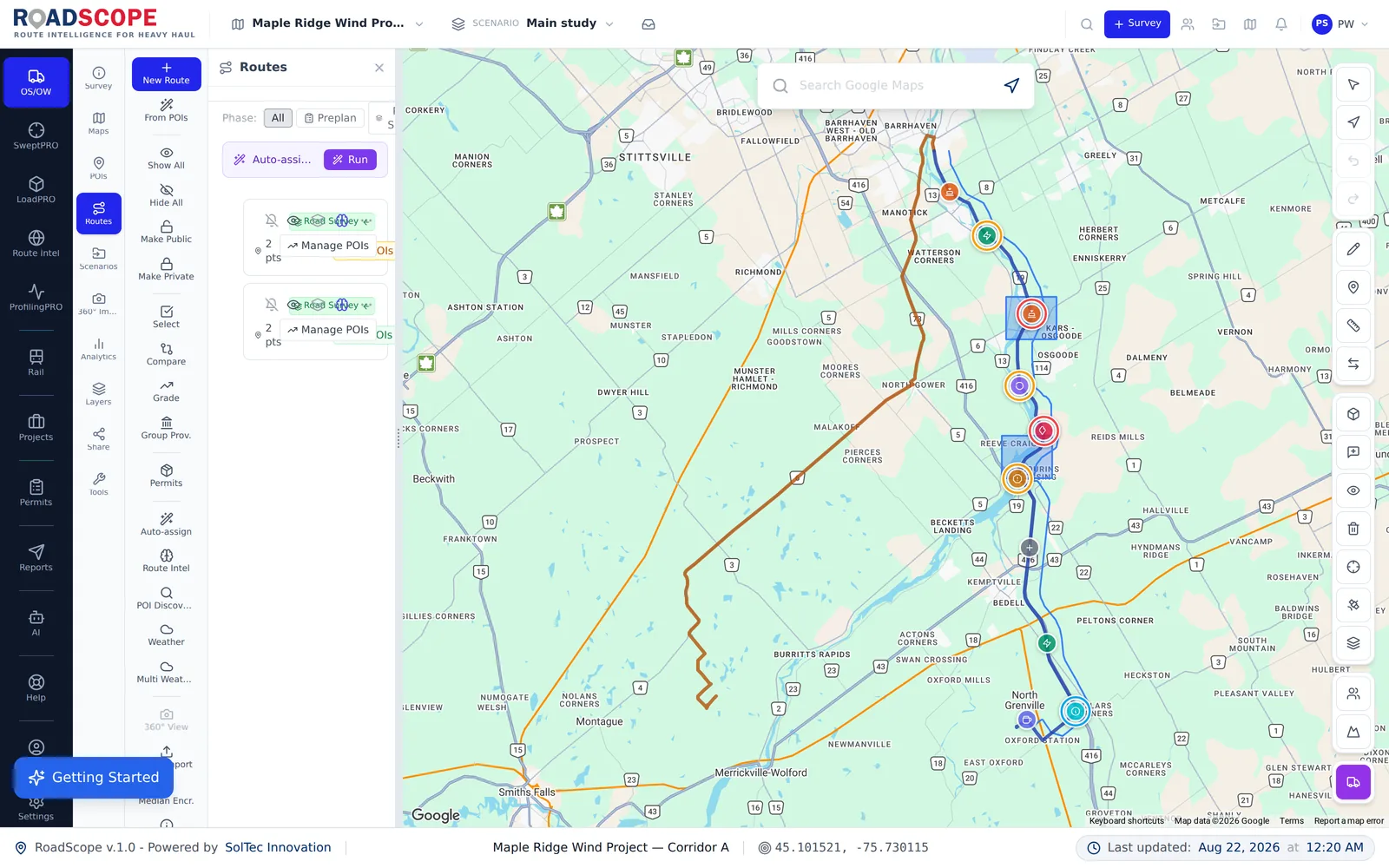
Example deliverable: the route decision record
When planning finishes, you hold a decision record — not just a line on a map:
- Grade profile analysis for the selected corridor
- Constraint inventory with photos and measurements for every critical structure
- Side-by-side comparison documenting why the chosen route beat the alternatives
- Full PDF report suitable for engineering review and client sign-off
Planning on evidence vs. planning on experience alone
| Spreadsheets, maps & photos | RoadScope | |
|---|---|---|
| Grades | Judged from the windshield or a topo map | Elevation profiles showing sustained grade and braking zones along the exact route |
| Route selection | The route the team has always used | Documented side-by-side comparison of candidates on the same criteria |
| Institutional knowledge | In the senior planner's head | Structured POIs and route records the whole team can reuse |
| Defensibility | Hard to reconstruct after an incident | One auditable project record from survey to sign-off |
Frequently asked questions
Does RoadScope pick the route for me?
RoadScope gives you the analysis to make the decision: grade profiles, constraint inventories, and Route Comparison View. The routing judgment stays with your planner — documented, not automated away.
How does grade analysis help a heavy haul?
Sustained upgrades determine whether the combination can maintain speed; long descents determine braking strategy. The profile shows both along the exact planned geometry rather than a generic road segment.
Can several planners work the same project?
Yes — surveys, POIs, and routes live in one shared project, with field updates syncing to the office team in real time.
Related pages
See it on your own route
Book a demo to walk through the full workflow with your use case, or try MapPRO Light — the free, no-login map — right now.